How do I find my legacy envelopes?
Open, search, and download the envelopes you completed on the legacy system from Legacy Envelopes in the new BunnyDoc.
After you connect your legacy account, the envelopes you completed on your previous BunnyDoc account are available from Legacy Envelopes in the new system. You and your team can search them and download the signed documents whenever you need them.
You need to connect your legacy account first. Legacy Envelopes only shows your old envelopes once you're connected.
Open your legacy envelopes
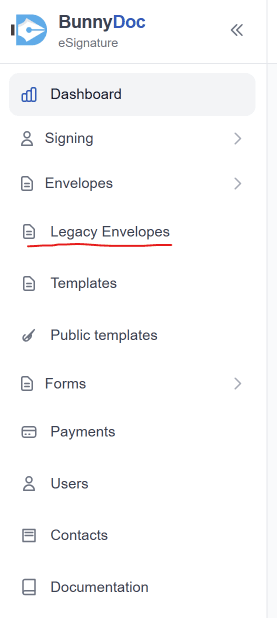
- In the left sidebar, click Legacy Envelopes. It sits just below Envelopes.
- You'll see a list of all the envelopes completed on the legacy system.
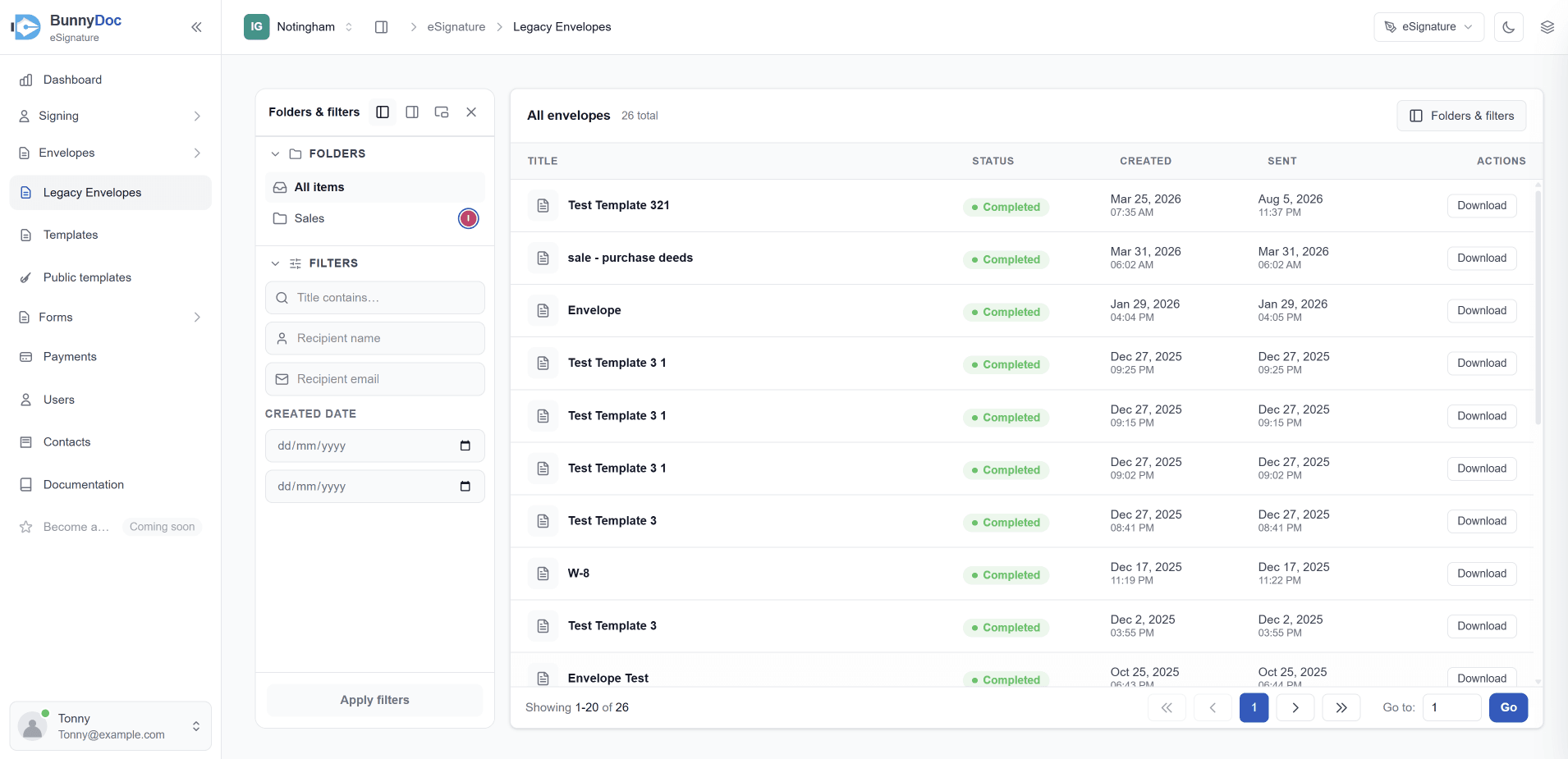
The list shows each envelope's title, status, and the dates it was created and sent, with 20 envelopes per page. Use the arrows or Go to at the bottom to move between pages.
Search for an envelope
Use the Folders & filters panel on the left. If it's hidden, click Folders & filters at the top right of the list.
- Under Folders, pick All items or one of your legacy folders.
- Under Filters, fill in any of these:
- Title contains — part of the envelope's title.
- Recipient name — the name of someone the envelope was sent to.
- Recipient email — their email address.
- Created date — a from and to date to narrow the list to a date range.
- Click Apply filters.
Download a signed document
- Find the envelope in the list and click Download in the Actions column.
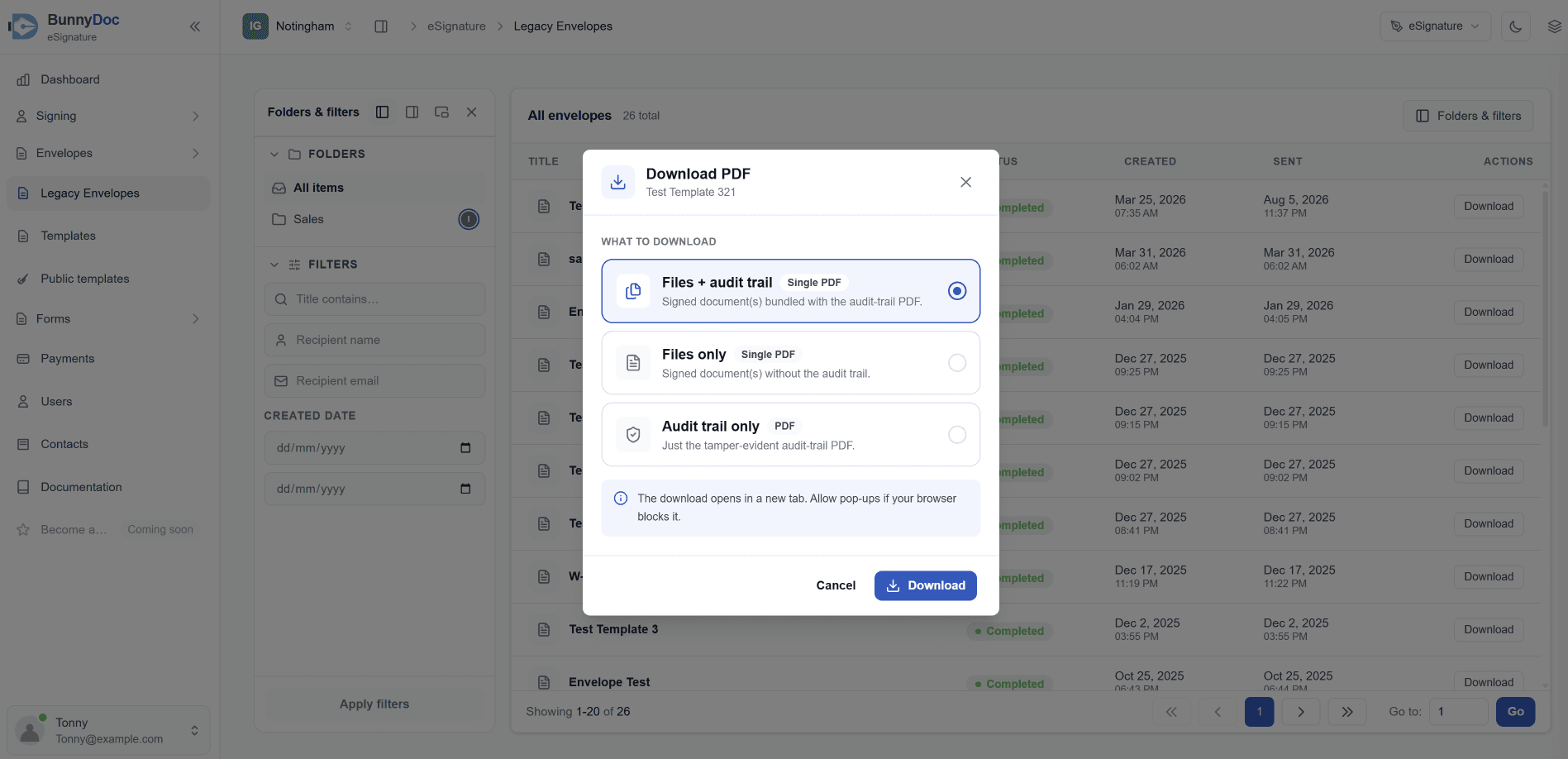
- In the Download PDF window, under What to download, pick one option:
- Files + audit trail — the signed document(s) and the audit trail, combined into a single PDF.
- Files only — just the signed document(s), as a single PDF.
- Audit trail only — just the tamper-evident audit-trail PDF.
- Click Download. The file opens in a new browser tab.
Allow pop-ups
The download opens in a new browser tab, so allow pop-ups for the site if nothing appears.
Legacy envelopes are read-only
Legacy envelopes are an archive of what was completed on the old system. You can view, search, and download them, but you can't edit, resend, or void them from the new system. To send a document again, start a new envelope.
How do I import my contacts from the legacy system?
Bring the contacts from your previous BunnyDoc account into the new system in one click, once your legacy account is connected.
Do my templates move to the new system?
Templates and public templates aren't migrated from the legacy system — here's how to set them up again in the new BunnyDoc.